Voice AI Widget for Websites
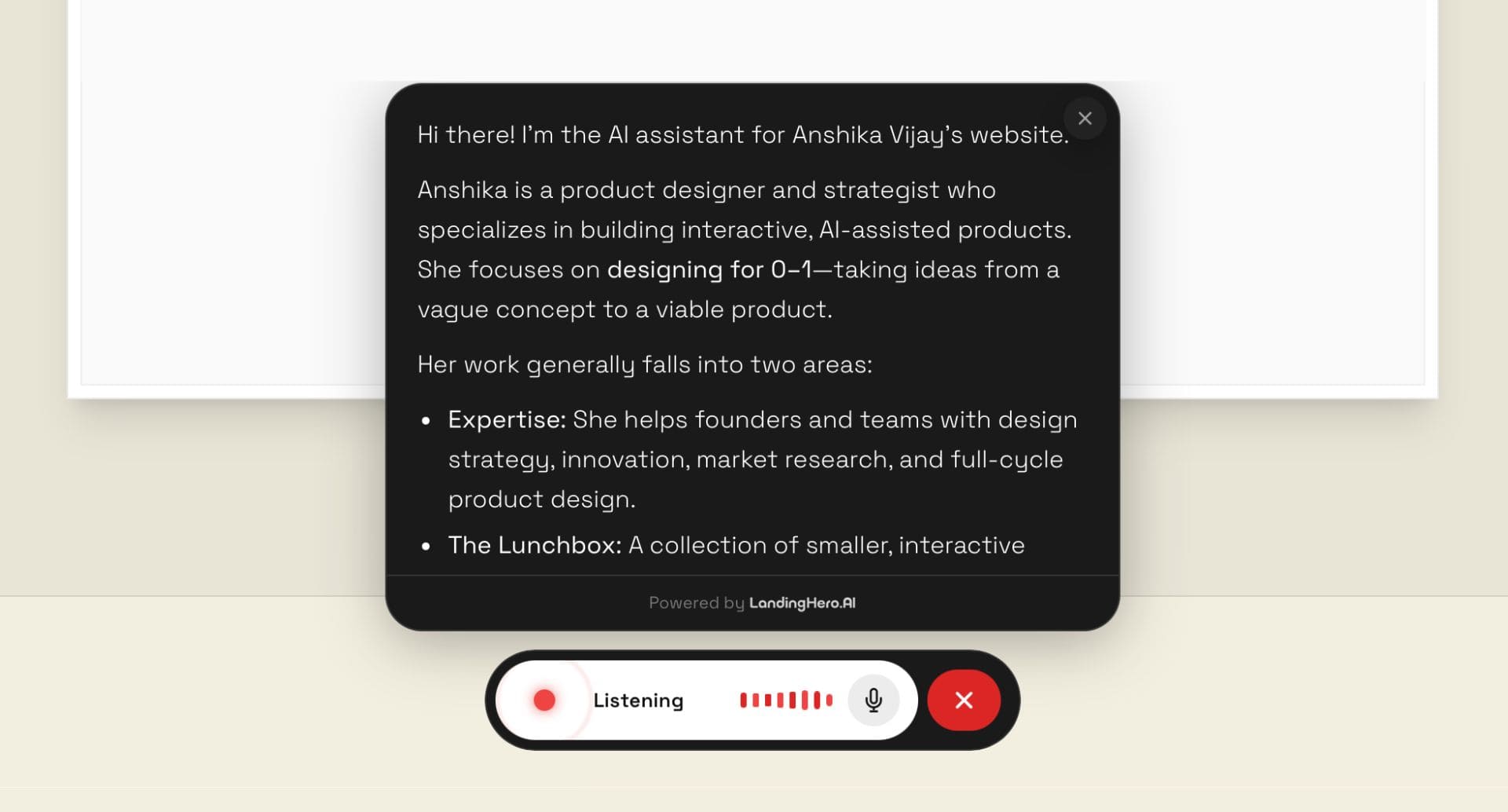
I worked with LandingHero, an AI website builder, to design a voice AI assistant widget that makes websites interactive and conversational. The goal was to shift the narrative from generating websites to building websites that can talk, while ensuring the widget works seamlessly on both Landing Hero sites and existing external websites.
The Challenge
LandingHero wanted a voice assistant widget that people would actually interact with. Most AI chat widgets sit in corners and are ignored. This needed to feel inviting, interactive, and clearly voice-first.
It also had to work for two core use cases: portfolios and business websites. Another constraint was encouraging voice over chat, even though both modes existed.
The core question became:
Designing a Voice-First Widget
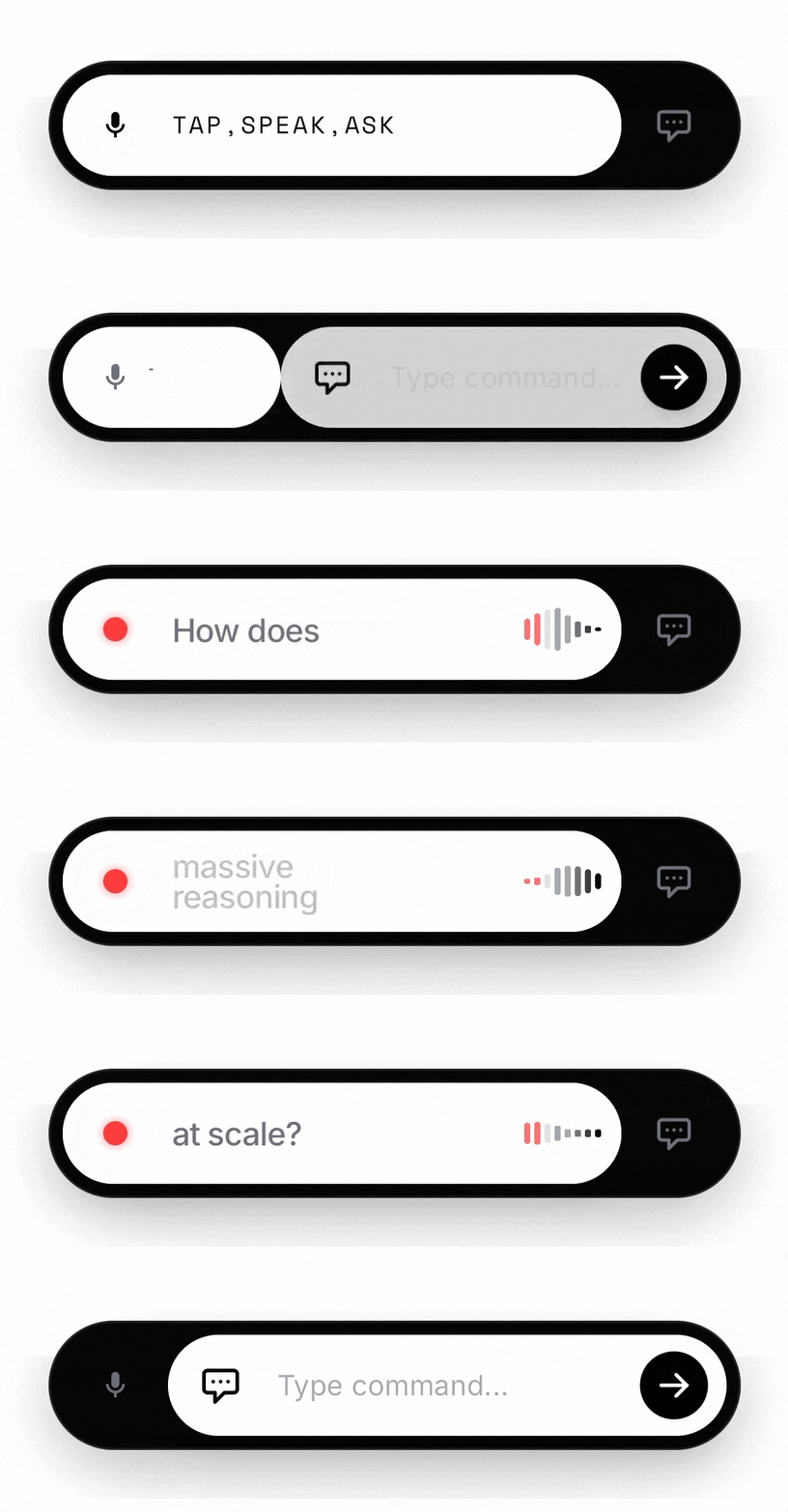
The first instinct was to move away from a corner chat bubble and introduce a floating interaction bar placed centrally at the bottom of the screen. Voice would be selected by default, while chat remained accessible but secondary. The interaction behaved like a dynamic toggle that never hid either option and animated smoothly between modes.
To explore the direction quickly, the widget was designed directly inside the LandingHero canvas using AI prompting. I started with a neutral black and white theme so the widget could adapt to any website style. Then I prompted:
Create a floating navbar that takes around 30–40% of the screen and sits centered at the bottom of the website. It should have two features: one for voice assistant and one for chat assistant. It should behave like a toggle, with voice selected by default and chat available as a button on the right. When switching between modes, it should animate smoothly left and right like a toggle, but never hide either option. Both voice and chat should always remain visible. The active state should appear in white and the inactive one in black. Also add a floating response box above the bar. In voice mode, it appears after the user finishes speaking. In chat mode, it appears when the user sends a message. The goal is to make people want to try the widget. It should feel interactive, smooth, and visually inviting, with voice as the primary interaction.
The first result closely matched the intended interaction. Subsequent prompts refined transitions, added voice animation, introduced response states, and improved visual hierarchy. The focus was to make the widget feel interactive before any user input.
Making It Feel Like a Call
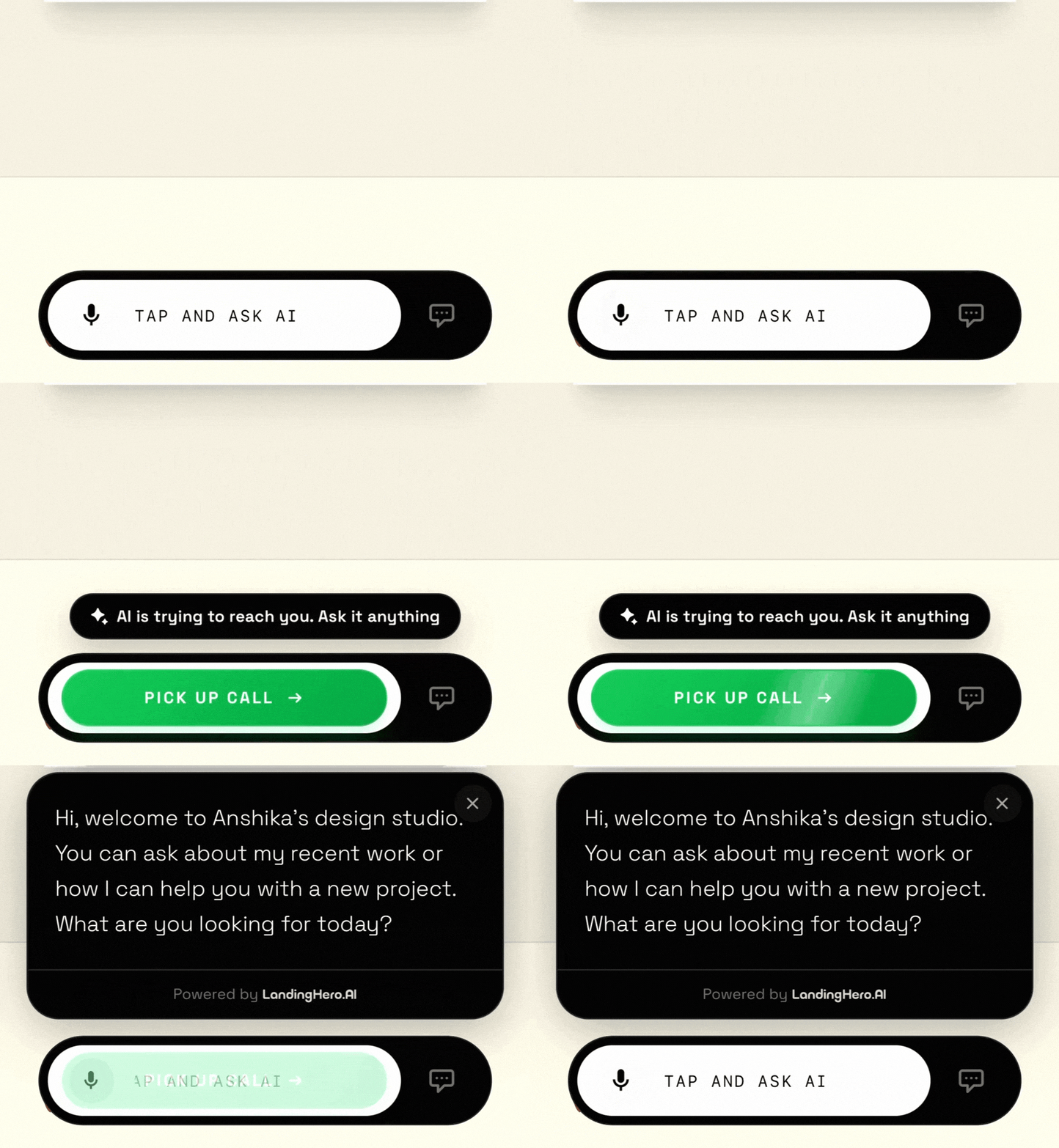
We wanted the interaction to feel conversational, closer to a call than a chatbot. But triggering something instantly felt aggressive, especially for someone who just landed on the site and could resemble spam-like behavior.
So instead, after a few seconds on the page, the widget subtly turns green and shows an “AI is calling” state. Interaction only begins when the user accepts, keeping the experience non-intrusive.
Observing Real Usage
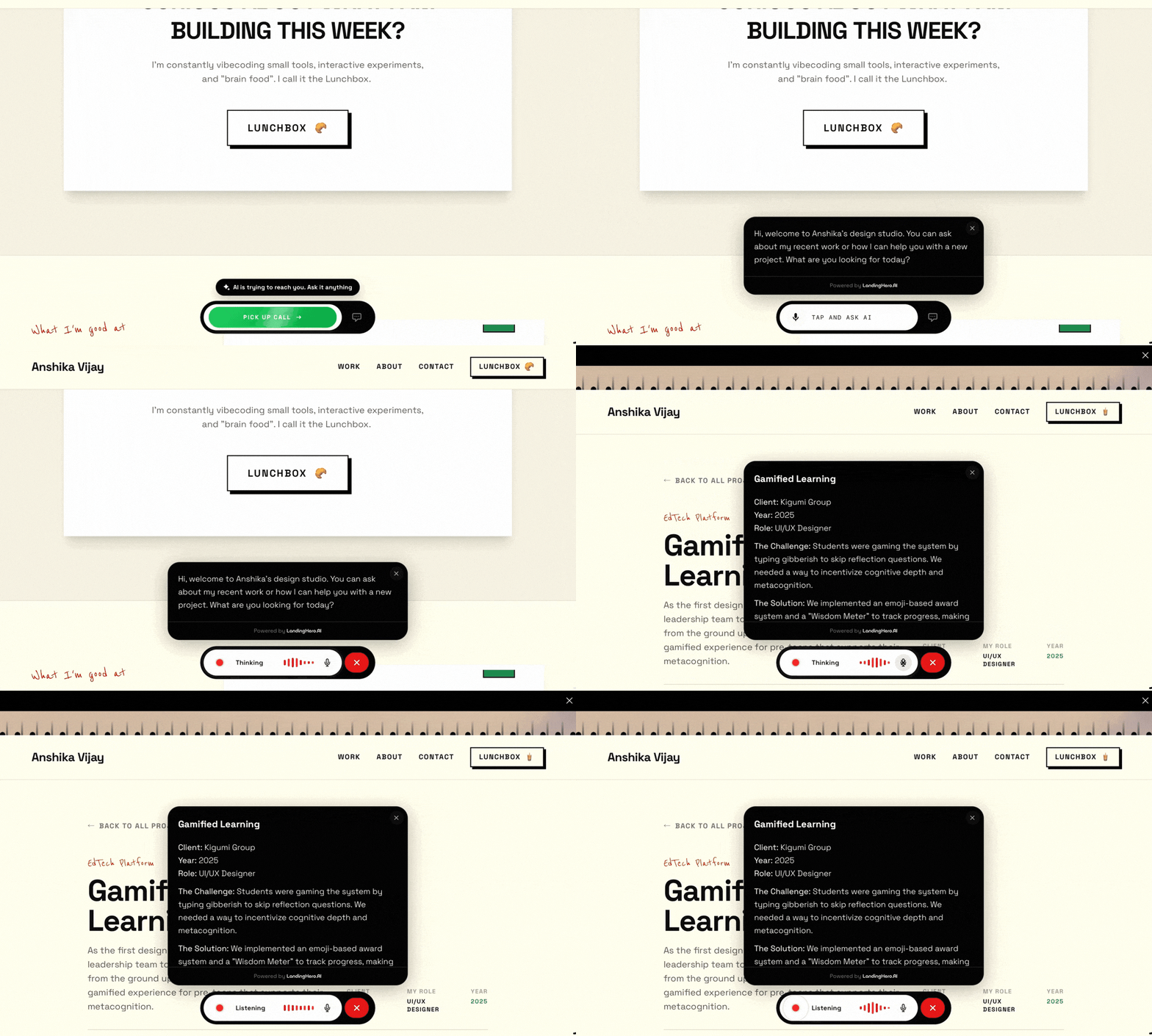
While testing the widget on a live website, an interesting pattern emerged. Users were speaking to the AI as if it could navigate the site for them. They expected hands-free browsing, not just answers.
For example, users asked questions and then expected the AI to take them to relevant sections. This led to introducing AI-driven navigation, where the assistant answers and then scrolls or moves to the appropriate page or section.
The widget shifted from being a voice chatbot to a voice interface for websites.
Outcome
The Voice AI widget is now live and can be added to both Landing Hero websites and existing external websites. It introduces a voice-first interaction layer that turns static websites into conversational experiences.
People are talking: